MarketTV
Real-Time Stock Market Data on Your Apple TV
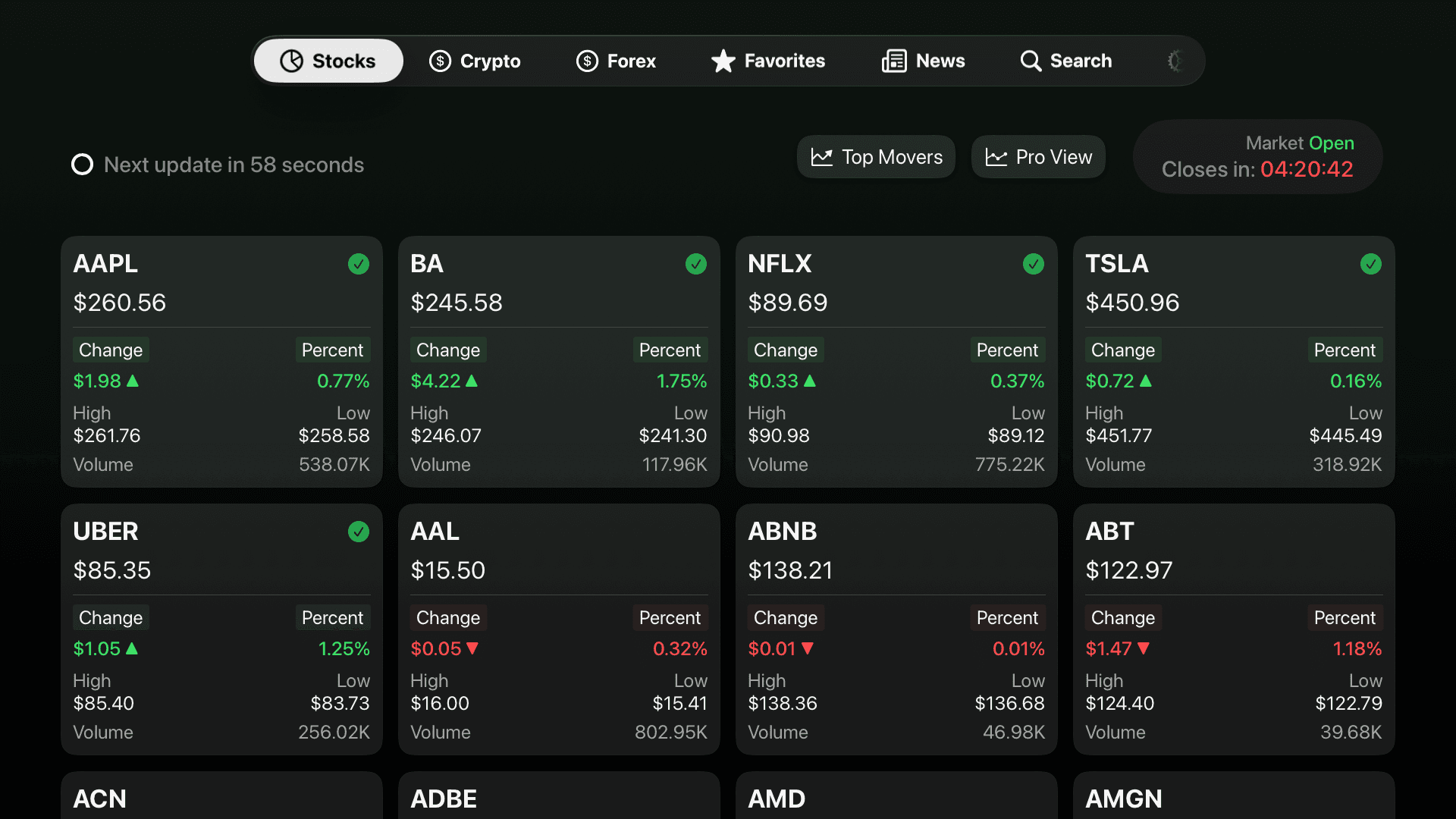
Market TV is a real-time financial market app for Smart TV platforms, designed to watch and monitor stocks, crypto, and forex on Apple TV and Android TV.
What is MarketTV?
Market TV is a TV-first financial market app designed exclusively for Smart TV devices.
It allows investors to watch stocks, cryptocurrencies, and forex markets in real time directly on their television.
Just a pure market monitoring experience — built for the big screen.
Why MarketTV?
The smart choice for serious market monitoring
Why TV > Mobile
Big screens. Clear data. Comfortable viewing. No squinting at tiny charts or endless scrolling. Market TV delivers financial information the way it was meant to be consumed — on a proper display.
For the Serious Investor
Designed for investors who want to monitor markets continuously. Whether you're tracking positions, following a portfolio, or staying informed throughout the day, Market TV adapts to your investment style.
At Any Environment
Use it at home while relaxing, in your office for continuous monitoring, or on a desk for focused analysis. Market TV integrates seamlessly into your daily routine — wherever you are.
How it Works
Three simple steps to start watching markets
Download
Download Market TV from the Apple TV App Store or Google Play Store on your Smart TV.
Open
Launch the app on your smart TV. No complex setup or configuration required.
Watch the Market
Sit back and enjoy real-time market data displayed beautifully on your big screen.
Key Features
Everything you need to monitor financial markets on your TV
Market Coverage
Stocks
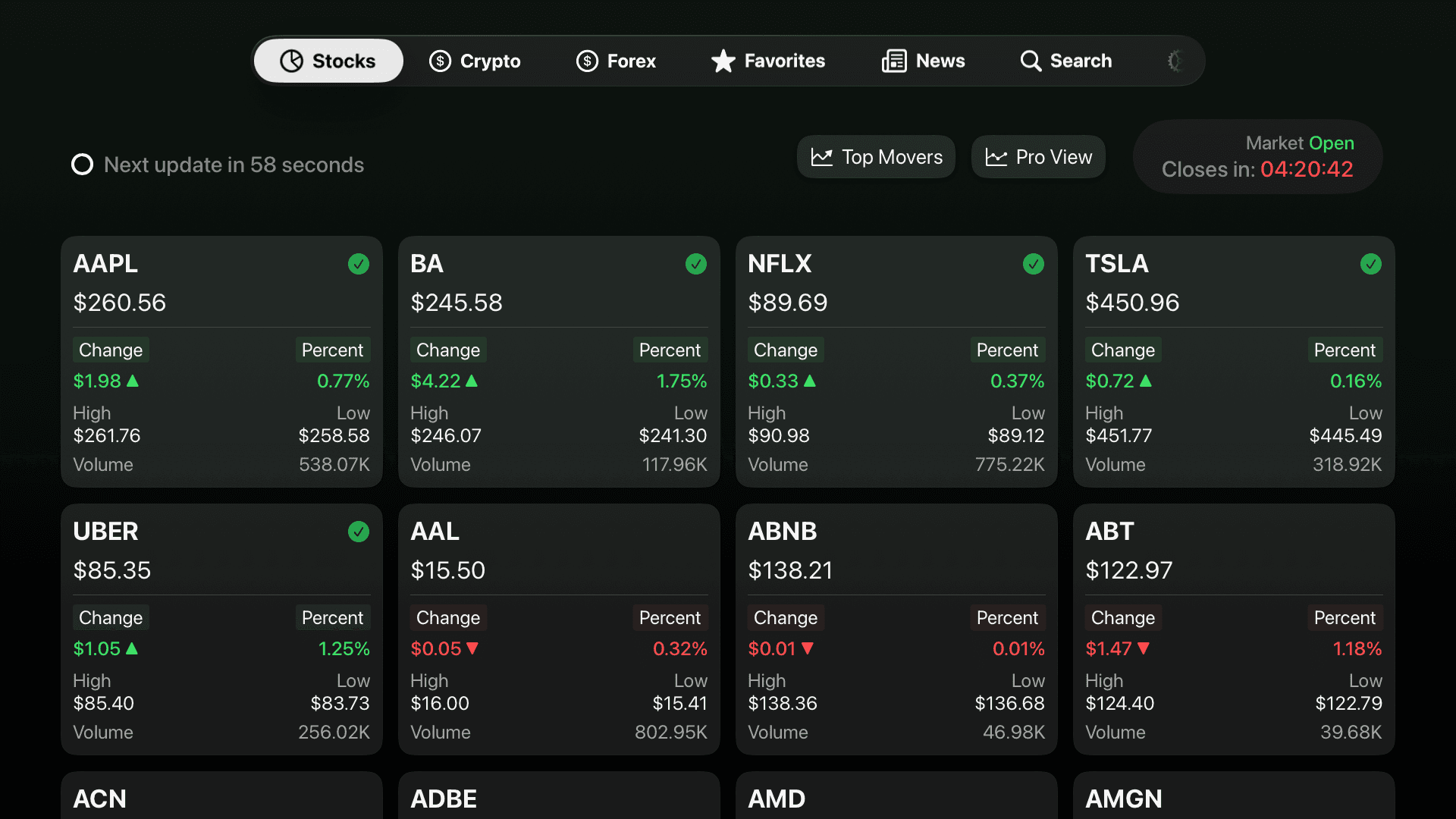
Track major stocks and indices with real-time prices and performance data.
Crypto
Monitor cryptocurrencies like Bitcoin and Ethereum with continuous real-time updates.
Forex
Follow global currency markets with major and emerging pairs on your TV.
Market Context
%2011.37.11.png&w=3840&q=75)
News
Stay informed with market-moving financial news delivered directly to your TV.
Favorites
Create personalized watchlists for quick access to the assets you care about most.
Advanced Market Views (Pro)
Access advanced market views designed for deeper market monitoring.
Pro Features
- •Top Movers to quickly spot the most active assets
- •Pro Views with expanded market data and insights
- •Faster updates: stocks and crypto refresh every 60 seconds (vs 600 seconds on Free)
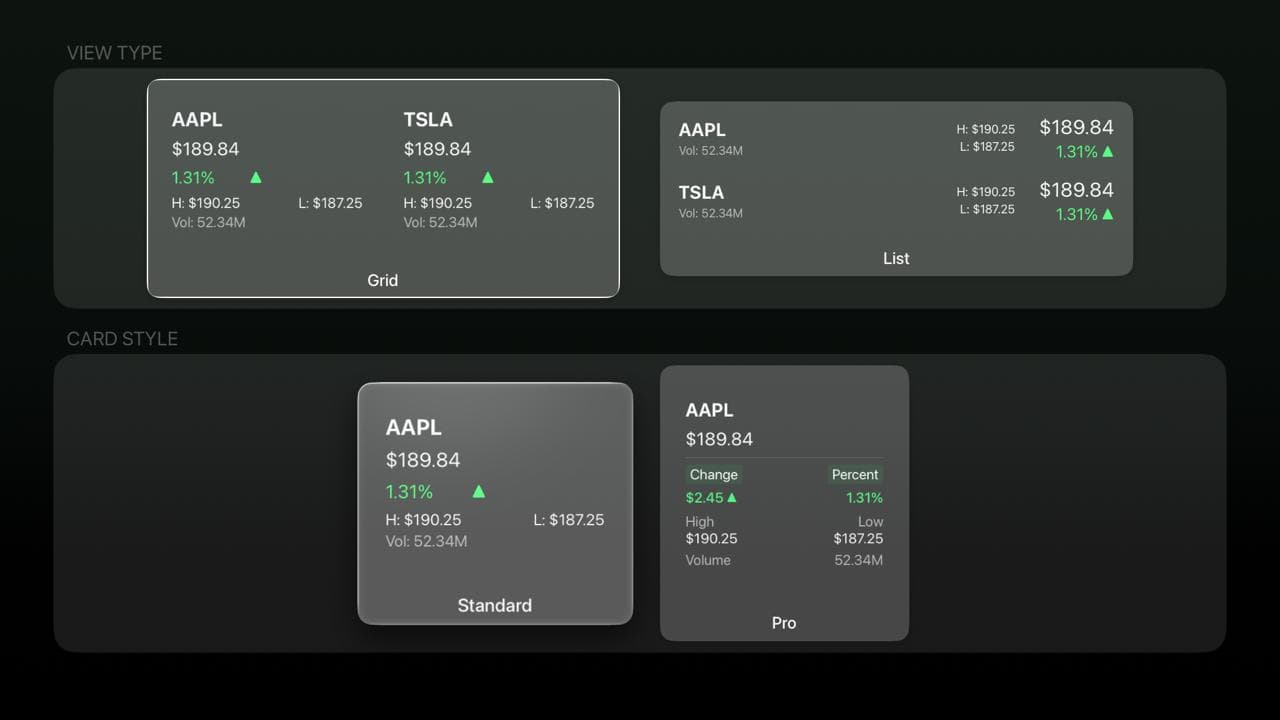
- •Custom layouts to choose how market data is displayed on your TV
Free & Pro Experience
Start for free. Unlock advanced market views anytime with Pro.
💡 Upgrade inside the app: Start free and upgrade to Pro anytime from within the app
Explore Free & Pro Views
%20-%202026-01-10%20at%2021.37.02.png&w=3840&q=75)
Free Plan Dashboard
Clean, distraction-free interface with essential real-time market data.
Advanced Layouts & Card Styles
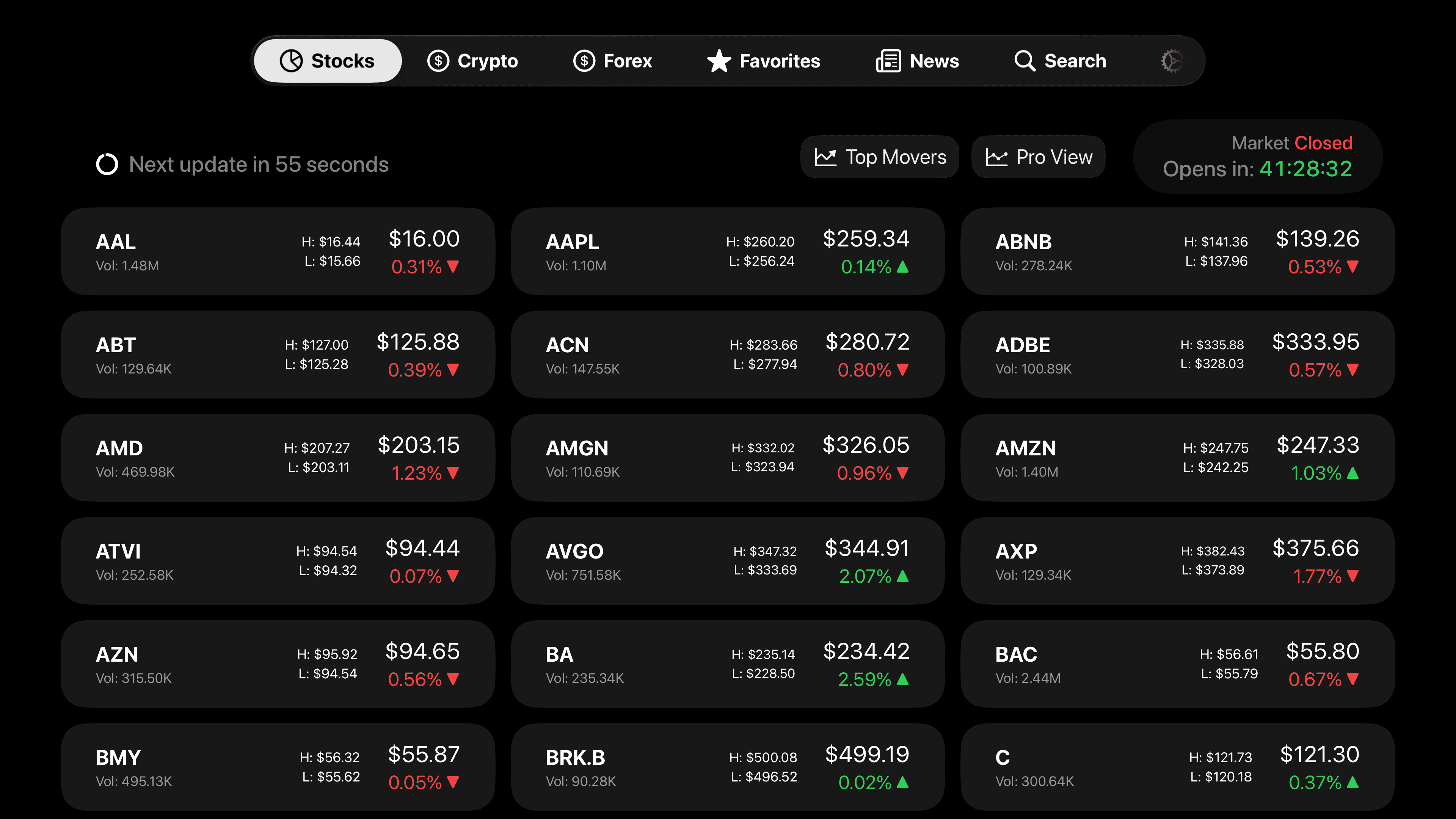
Switch between grid and list views with enhanced Pro card designs
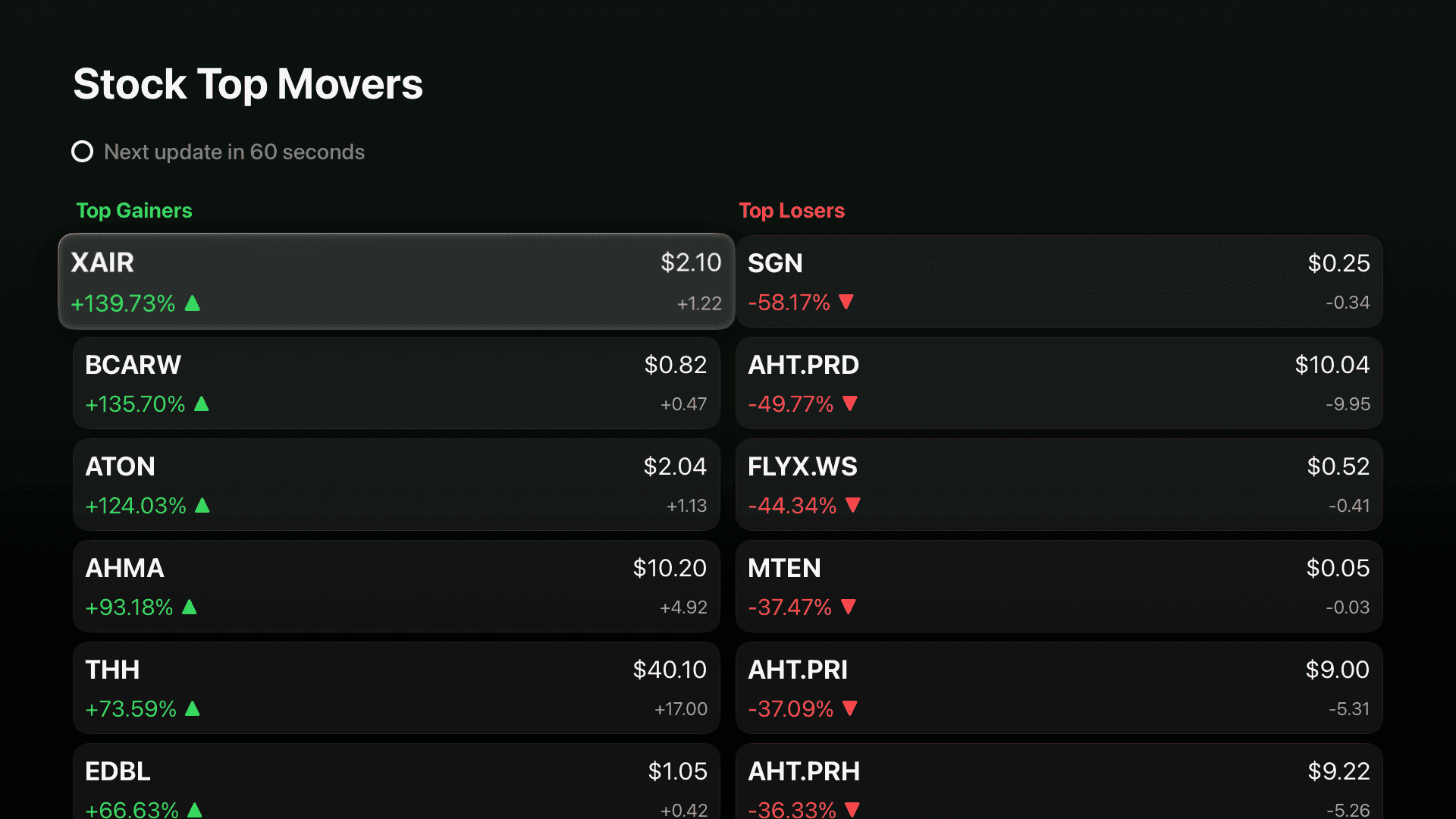
Top Movers
Instantly spot the most active gainers and losers across the market.
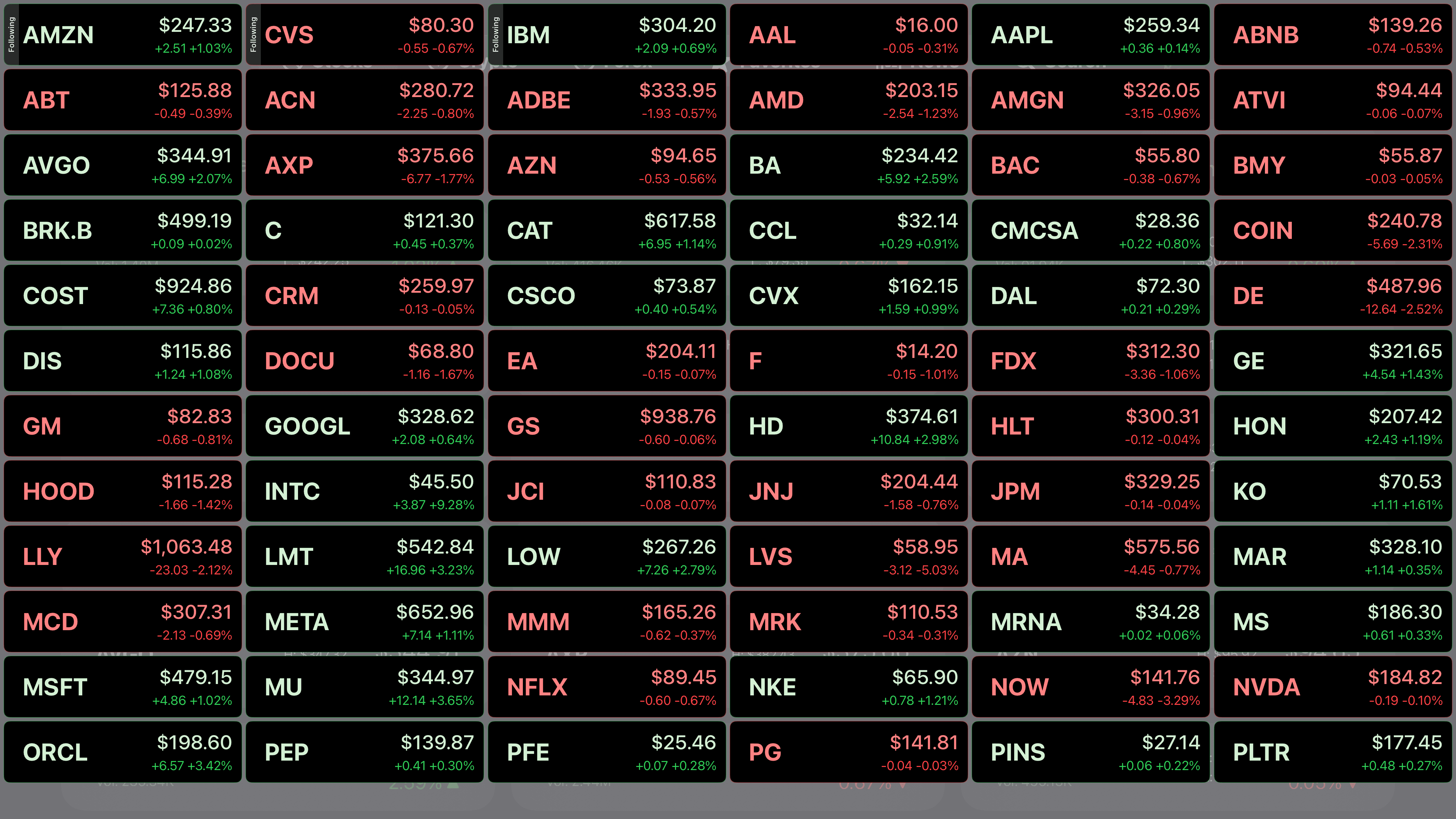
Pro View & Asset Following
Track selected assets with expanded data and deeper market visibility.
Available Everywhere You Watch
Market TV brings real-time stocks, crypto, and forex data to every major Smart TV platform.
Apple TV
Available on Apple TV 4K and Apple TV HD. The full Market TV experience optimized for tvOS.
Get it on App StoreAndroid TV & Google TV
Compatible with all Android TV and Google TV devices, including Chromecast with Google TV.
Get it on Google PlayAmazon Fire TV
Available on Fire TV Stick, Fire TV Cube, and Fire TV Edition smart TVs.
FAQ
Common questions about Market TV
Yes. Market TV is free to download and includes essential real-time market data for stocks, crypto, and forex. You can upgrade to Pro anytime for advanced features.
The Pro plan unlocks advanced market views, Top Movers, faster data refresh rates, and customizable layouts. It's designed for investors who want deeper market visibility on their TV.
You can subscribe to Pro directly inside the Market TV app. All subscriptions and payments are handled securely through the App Store or Google Play.
No. Market TV is not a trading or brokerage app. It's a market monitoring tool designed to help you track and analyze financial markets on a big screen.
Market TV is available on Apple TV, Android TV, Google TV, and Amazon Fire TV. Download it from the App Store, Google Play, or the Amazon Appstore depending on your device.
Market TV is designed for Smart TVs and optimized for big screens with remote-based navigation. It's available on Apple TV, Android TV, Google TV, and Amazon Fire TV.
Still have questions? Contact our support team